How Does WhatsApp REQUEST_CONTACT_INFO Fix OTP Flows? (2026)
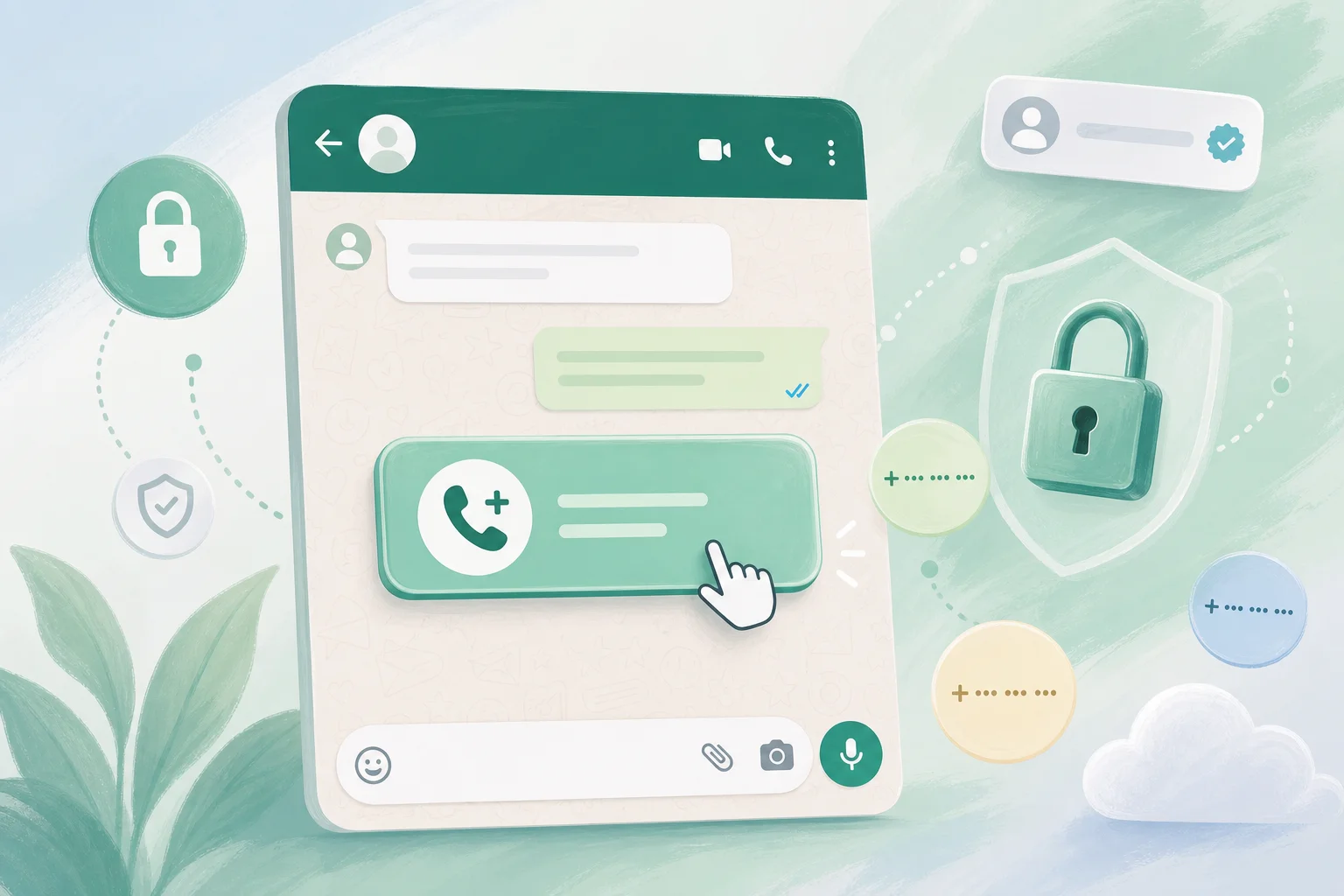

Table of Contents
- Introduction
- Why do WhatsApp usernames break OTP and login automations?
- What is REQUEST_CONTACT_INFO and how does WhatsApp contact collection work?
- Which WhatsApp flows can run on BSUID-only without a phone number?
- When should you collect phone numbers vs keep BSUID-only flows?
- How do you add REQUEST_CONTACT_INFO to utility and marketing templates?
- What should happen when a user declines to share their phone number?
- How do you build n8n fallback automation for WhatsApp authentication?
- When should you book a roadmap call for WhatsApp auth migration?
- Frequently Asked Questions (FAQs)
Introduction
Your WhatsApp bot replies to FAQs in seconds. Order updates land. Support triage works. Then someone taps "Log in with WhatsApp," your n8n workflow fires an authentication template, and the flow stalls. The webhook has a BSUID and a username. No E.164 phone number. Your OTP step expects +14155551234. The user waits. You lose the session.
Meta's username rollout and Business Scoped User IDs (BSUID) change more than CRM keys. They break any automation that treats the WhatsApp from field as a verified phone number. Authentication, billing, payment confirmations, and carrier-style OTP delivery all assume E.164. Generic reply bots often keep working because they only need a stable reply address - not a phone.
This post covers whatsapp REQUEST_CONTACT_INFO automation: when to split BSUID-safe flows from phone-required flows, how to collect numbers through utility and marketing template buttons, what to do when users decline, and how to wire n8n fallbacks before the May-July 2026 rollout waves hit production traffic.
If you already migrated CRM lookups, read Do WhatsApp Usernames Break Phone-Number CRM Keys? first. This article picks up where schema work ends and auth flows begin.
Why do WhatsApp usernames break OTP and login automations?
WhatsApp usernames let users chat without exposing their phone number to your business, so webhook payloads may contain BSUID or username identifiers instead of E.164 - and authentication templates that reference or deliver codes to a phone number fail silently or mislead users.
For a decade, WhatsApp Business integrations shared one assumption: the sender's phone number is always present, stable, and appropriate to display. OTP flows built on that model:
- User enters or you already store their phone.
- You send a one-time code via WhatsApp (or SMS fallback).
- User enters the code.
- Login completes.
When a user adopts a username and hides their number, your system may never receive E.164. Authentication template copy that references a masked phone displays stale data. Payment gateways and telco APIs reject BSUID strings before OTP logic runs. n8n workflows that CRM-lookup by phone create duplicates or drop the session.
Support bots survive because they match BSUID to a thread and reply. Auth bots fail because they need verified phone tied to an account. Meta documented BSUID in webhooks from March-May 2026; username behavior rolls in waves from July 7, 2026. Infobip reports REQUEST_CONTACT_INFO buttons available in early May 2026. Fix auth flows now - not after Wave 1 traffic hits your login template.
What is REQUEST_CONTACT_INFO and how does WhatsApp contact collection work?
REQUEST_CONTACT_INFO is Meta's interactive button type that asks the user to share their phone number or email inside WhatsApp; when they tap it, your webhook receives a structured payload with WhatsApp-verified contact data you can store after optional OTP confirmation.
Instead of asking users to type a phone number (error-prone, unverified, policy-sensitive), you send an approved template with a button whose action requests specific contact information. The user explicitly consents. WhatsApp returns the value in a webhook event - typically as user_phone_number or equivalent structured fields depending on your BSP.
The flow looks like this:
- User messages your business (possibly BSUID-only, no phone in your database).
- Your automation detects a phone-required step (login, payment, account recovery).
- You send a utility or marketing template with body copy explaining why you need the number and a REQUEST_CONTACT_INFO button labeled per Meta guidelines (e.g., "Share phone number").
- User taps the button.
- Webhook delivers the phone number bound to their WhatsApp account.
- You store it with a
verifiedflag, optionally send an authentication template OTP as a second factor, then proceed with login or billing.
This aligns with verification best practices: collect contact data only when justified, verify before storing, and avoid displaying full numbers in UI when masked references suffice.
REQUEST_CONTACT_INFO does not replace authentication templates. Meta separates template categories strictly:
| Template category | Use for | REQUEST_CONTACT_INFO button |
|---|---|---|
| Authentication | OTP codes, login verification | No - OTP content only |
| Utility | Account updates, post-purchase, recovery prompts | Yes - primary collection path |
| Marketing | Profile completion campaigns, optional upgrades | Yes - with opt-in rules |
Keep OTP delivery inside authentication templates. Use utility or marketing templates to collect the phone first, then trigger auth templates once you have a number on file - or run WhatsApp-bound OTP that references BSUID/username instead of phone when collection is not possible.
Which WhatsApp flows can run on BSUID-only without a phone number?
BSUID-only flows work for support, FAQ, order status, lead qualification, and general reply automation - any scenario where you reply to the same WhatsApp identifier without needing E.164 for an external system.
Split your WhatsApp automations into two buckets before you touch templates:
BSUID-safe (no phone required)
- FAQ and knowledge-base replies
- Order tracking where order ID is in the message or a prior link
- Lead qualification (budget, timeline, product interest)
- Appointment scheduling via calendar links
- Support triage and Claude draft replies
- Marketing nurture where CRM key is email from a prior web signup
These flows need a stable user_id / BSUID to route replies and store conversation history. For outbound reply routing when from is BSUID-only, see WhatsApp reply automation BSUID. They mirror what already works in WhatsApp Claude CRM logging when you key threads by internal contact ID instead of phone.
Phone-required (E.164 mandatory)
- OTP login and step-up authentication
- Payment and billing confirmation tied to carrier identity
- SMS fallback enrollment
- Regulatory KYC in phone-mandatory jurisdictions
- Telco-style verification APIs
- Account recovery where phone is the recovery factor
If a flow appears in the second list, mark it in your architecture doc and ensure every entry path either has phone on file or triggers REQUEST_CONTACT_INFO before the OTP step. Do not run authentication templates against BSUID-only users and hope Meta backfills the number - that is not guaranteed.
Daily checklist for engineering:
- Audit every n8n workflow branch that reads
messages[0].fromas phone. - Tag each branch BSUID-safe or phone-required.
- Confirm phone-required branches call REQUEST_CONTACT_INFO or an alternate auth channel before OTP.
- Log webhook payloads with BSUID present and phone absent - track volume weekly.
When should you collect phone numbers vs keep BSUID-only flows?
Collect phone numbers only when a feature, regulation, or payment processor requires E.164; keep BSUID-only flows everywhere else and defer collection until the user hits a phone-gated action.
Use a simple decision matrix:
| Scenario | Collect phone? | Mechanism |
|---|---|---|
| FAQ / support chat | No | BSUID thread only |
| Login with WhatsApp OTP | Yes | REQUEST_CONTACT_INFO first if missing |
| One-click reorder (saved payment) | Yes | Phone or verified account link |
| Marketing promo blast | No | BSUID send; optional profile link |
| High-risk payout change | Yes | REQUEST_CONTACT_INFO + auth OTP |
| Lead from Meta ad (email captured on form) | Optional | Match BSUID to email first |
Justify collection in copy - users who hid their number decline vague requests. Verify before persisting: trust WhatsApp binding for low-risk storage or send auth OTP immediately after collection for high-risk accounts. Never block BSUID-safe features when phone is declined. Prioritize REQUEST_CONTACT_INFO templates for Wave 1 markets (July 7, 2026) first.
Weekly: review contact-info tap vs decline rates, count auth failures with null phone in webhook, and update template copy if decline rate exceeds ~40%.
How do you add REQUEST_CONTACT_INFO to utility and marketing templates?
Create a utility or marketing template in Meta Business Manager with a request-phone-number interactive button, get it approved, then send it from n8n or your API when your auth workflow detects a missing E.164 before an OTP step.
Step-by-step:
-
Draft template copy in Business Manager under Utility or Marketing (not Authentication). Example body: "To log in securely, we need to verify your phone number. Tap below to share it with [Brand]. We use it only for account security."
-
Add interactive button type: Request phone number (REQUEST_CONTACT_INFO). Meta provides standard button labels; do not customize beyond approved options.
-
Submit for approval. Utility templates typically approve faster than marketing; pick the category that matches the message intent. Auth OTP content does not belong here.
-
Handle webhook response in n8n:
- Listen for
interactivemessage type with phone payload. - Merge phone into existing BSUID contact record (see BSUID CRM migration).
- Set
phone_verified_attimestamp. - Trigger authentication template OTP as next node.
- Listen for
-
Reference BSUID in auth template when phone display is unreliable. Prefer: "Your login code for [Brand] account" over "Code sent to +1..."
Example n8n branch pseudologic:
{
  "condition": "contact.phone IS NULL AND flow = 'login'",
  "action": "send_template",
  "template": "collect_phone_utility_v1",
  "button": "REQUEST_CONTACT_INFO"
}
For whatsapp authentication template without phone number scenarios - users who will never share phone - design auth templates that deliver OTP to the WhatsApp session itself without referencing E.164 in the body. Bind verification to BSUID + session token in your backend instead of telco identity. This is weaker for payment-grade assurance but valid for low-risk app login when users opt out of phone sharing.
Template naming convention that scales: {brand}_{purpose}_{version} - e.g., acme_collect_phone_v2, acme_auth_otp_v3. Version bump when Meta rejects copy or when username rollout forces BSUID-first wording.
What should happen when a user declines to share their phone number?
When a user declines REQUEST_CONTACT_INFO, route them to BSUID-safe alternatives - email magic link, in-app login, or human handoff - and never dead-end the chat or retry the same button in a loop.
Decline paths are not edge cases. Set a 24-hour timeout on pending contact-info requests and do not resend the same utility template twice per session. Offer alternate auth immediately: app login URL, email magic link, or human agent handoff. Continue BSUID-safe replies (FAQ, order status) even when login fails.
Log declines by template copy and market. High-risk actions (payout changes, account deletion) stop with a clear message when phone is mandatory and declined. Never store guessed phone numbers - only persist what REQUEST_CONTACT_INFO or OTP verification returns.
Post-decline copy example: "No problem - we will not ask for your phone again this session. Log in at [URL] or reply HELP for other options."
How do you build n8n fallback automation for WhatsApp authentication?
An n8n workflow between your WhatsApp webhook and auth backend should branch on BSUID lookup, phone presence, and verification state - sending REQUEST_CONTACT_INFO, authentication OTP, or alternate channels in that order.
Architecture:
WhatsApp webhook -> n8n trigger -> user lookup by BSUID
  |-- phone verified -> send auth OTP template -> verify code -> login
  |-- phone missing -> send REQUEST_CONTACT_INFO utility template
  |     |-- user shares phone -> merge CRM -> send auth OTP -> verify -> login
  |     |-- decline/timeout -> send email magic link OR app deep link
  |-- BSUID unknown -> onboarding template -> link to web signup
Key nodes: webhook normalization (parse user_id, from, username, optional contact.phoneNumber - never assume E.164), rate limiting (one OTP per 30-60 seconds per BSUID), idempotent contact merge on REQUEST_CONTACT_INFO response, and session state keyed by BSUID (awaiting_phone, awaiting_otp, declined_phone_at).
Log transitions: contact_info_sent, contact_info_received, contact_info_declined, otp_verified, fallback_email_sent. Optional Claude Haiku layer classifies free-text login intent before template send.
Daily: confirm collect-phone and auth templates approved, check OTP failures with null phone, review decline rate, spot-check BSUID-without-phone webhook payloads.
When should you book a roadmap call for WhatsApp auth migration?
Book a roadmap call when OTP or payment flows still key on phone number, you serve Wave 1 rollout markets after July 7 2026, or decline rates and auth failures spike after enabling username-aware webhooks.
You can likely self-serve BSUID CRM migration with the checklist in the companion post. Auth migration is harder because it crosses Meta template policy, n8n branching, payment APIs, and compliance copy. Signs you need external help:
- Multiple authentication templates across brands with inconsistent copy
- Payment processor still validates E.164 on every transaction
- No decline fallback path - users hit dead ends today
- Engineering backlog past June 2026 and Wave 1 is weeks away
- Legal has not signed off on phone collection justification copy
On a 45-minute roadmap call, we map your flows into BSUID-safe vs phone-required buckets, draft REQUEST_CONTACT_INFO template copy for approval, design n8n fallback branches, and give you a 30-day rollout sequence aligned to Meta's July-September 2026 waves. You leave with a prioritized backlog - not a generic "update your integrations" slide.
If generic replies work but login does not, you do not have a bot problem. You have an identity model problem. Fixing it before July beats explaining OTP failures to customers who already trust your support channel.
Ready to split BSUID-safe flows from phone-required auth before the rollout hits? Book a roadmap call and we will trace your WhatsApp login path end to end - templates, webhooks, n8n branches, and decline fallbacks included.
Frequently asked questions
Quick answers on the topics covered in this article.
It is the practice of sending utility or marketing templates with a request-phone-number button so users explicitly share E.164 contact data inside WhatsApp. Your webhook receives verified phone numbers you can store and use for OTP login, billing, or recovery - without asking users to type digits manually.
Usernames let users hide their phone number from businesses. Webhooks may deliver BSUID instead of E.164, so automations that send authentication templates referencing or validating phone numbers fail. Generic reply bots often keep working because they only need a stable reply identifier.
Yes, for low-risk scenarios. Send authentication templates that deliver OTP to the WhatsApp session itself and verify against BSUID plus a backend session token. Do not reference E.164 in template copy when no number is on file. High-risk payment flows still need verified phone or alternate strong factors.
BSUID-safe flows (FAQ, support, lead qualify, order status) reply using Business Scoped User ID without E.164. Phone-required flows (OTP login, payments, telco verification, SMS fallback) need a verified phone number collected via REQUEST_CONTACT_INFO or another channel.
BSPs including Infobip document REQUEST_CONTACT_INFO buttons for utility and marketing templates becoming available in early May 2026, alongside BSUID fields in webhooks from March-May 2026 and username rollout waves starting July 7, 2026.
Use Utility or Marketing templates for contact collection buttons. Authentication templates are reserved for OTP delivery only. Mixing OTP codes into utility templates violates Meta category rules and risks template rejection or quality rating hits.
Offer alternate auth paths immediately: email magic link, in-app login, or human support. Continue BSUID-safe bot replies. Do not retry the same contact-info button in a loop. Log declines and tune copy if rates are high.
No. REQUEST_CONTACT_INFO solves phone collection for auth flows. You still need BSUID-indexed CRM schemas, merge logic, and n8n parsers from the BSUID migration work. Contact collection adds phone to an existing BSUID record - it does not replace BSUID as the primary webhook key.
Yes. n8n can branch on phone presence after BSUID lookup: send REQUEST_CONTACT_INFO when phone is missing, authentication OTP when phone is verified, and email or app deep links when users decline. Rate limiting and session state stores prevent OTP abuse.
When users will not share phone, auth templates should avoid E.164 references entirely. Use copy tied to brand and account ("Your login code for Acme") and verify OTP against the WhatsApp session and BSUID in your backend rather than assuming telco identity.
Share this article
Related workflows
Daily Validated Business Ideas using n8n and Upwork
Deep Research using n8n automation to generate report using Tavily