Gemini Managed Agents: What Ops Teams Build vs Skip in 2026

Table of Contents
- Introduction
- What is the Gemini managed agents API and why should ops teams care?
- What did Google announce on May 19, 2026 for Antigravity and managed agents?
- Where does AI workflow automation for small business fit in this stack?
- What ops use cases are safe to build on managed agents in preview?
- What should ops teams skip or delay until the API leaves preview?
- What governance and vendor lock-in risks come with Google managed agents?
- How do you choose build vs buy vs wait for AI workflow automation?
- When should you book a 45-minute roadmap call instead of prototyping alone?
- Frequently Asked Questions (FAQs)
Introduction
On May 19, 2026, Google launched Managed Agents in the Gemini API in preview. One API call spins up an agent that reasons, uses tools, and executes code inside an isolated Linux sandbox. The runtime is powered by the Antigravity agent on Gemini 3.5 Flash, with agent behavior defined in versionable AGENTS.md and SKILL.md files instead of hand-rolled orchestration code.
For RevOps, marketing ops, and small-business operators evaluating AI workflow automation for small business, the headline is exciting. The fine print matters more: this is a preview, not a production platform with hardened SLAs, mature governance tooling, or guaranteed backward compatibility. Google is also deprecating the Gemini CLI on June 18, 2026 in favor of the Antigravity CLI.
That combination creates a familiar 2026 tension. Your team wants agentic automation for lead triage, reporting, and internal ops. You also cannot afford to wire revenue-critical workflows to a stack that may change behavior next quarter.
This guide is for ops leaders with budget authority who need a practical answer: what to build on the Gemini managed agents API now, what to skip until GA, and how to decide build vs buy vs wait without treating a Google blog post as a production roadmap.
What is the Gemini managed agents API and why should ops teams care?
The Gemini managed agents API is Google's managed runtime for agentic workflows. Instead of sending a single prompt and parsing a response, you define agents with instructions, tools, and reusable skills. Google hosts the planning loop, tool calls, sandbox execution, and session state.
For ops teams, the appeal is speed without building infrastructure. Production-grade agents usually require isolated sandboxes, retry logic, tool routing, and session persistence. Managed Agents abstracts that so you focus on what the agent should do for the business, not how to run the agent stack.
Google positions this as an extension of its earlier Deep Research managed agent. Now any developer can register custom agents with their own instructions, skills, and data access patterns. Enterprise customers can also access managed agents through the Gemini Enterprise Agent Platform, also in preview.
The catch is scope. Preview means evolving interfaces, incomplete observability, and workflows that belong in a controlled pilot - not as the backbone of your revenue engine. Treat Managed Agents as a powerful experiment layer in 2026, not your default automation platform.
What did Google announce on May 19, 2026 for Antigravity and managed agents?
Google's May 19 announcement describes Managed Agents as a single-call way to provision a remote Linux environment where an agent can reason, plan, call tools, execute code, manage files, and browse the web for live data.
Google's May 19 announcement describes Managed Agents as a single-call way to provision a remote Linux environment where an agent can reason, plan, call tools, execute code, manage files, and browse the web for live data. Each interaction creates or resumes an environment with files and state intact across follow-up calls.
Key pieces for ops and engineering stakeholders:
- Antigravity agent framework - the opinionated harness Google uses for planning, tool use, and sandbox execution.
- Gemini 3.5 Flash - fast, cost-efficient inference suited to high-volume operational tasks like classification and summarization.
- Interactions API - the programmatic surface for calling managed agents, also available in Google AI Studio with custom templates.
- AGENTS.md and SKILL.md - markdown-based definitions for agent roles and reusable capabilities.
- Antigravity CLI migration - Gemini CLI deprecation on June 18, 2026; teams must migrate agent workflows to Antigravity tooling.
For a team already on Google Cloud, Workspace, or BigQuery, this is a natural extension. For everyone else, it is still a Google-specific agent stack you adopt deliberately, not accidentally.
How do AGENTS.md and SKILL.md change how you define agent behavior?
Most ops teams already document SOPs, handoffs, and escalation rules in prose. Managed Agents formalizes that pattern:
- AGENTS.md describes each agent: purpose, boundaries, autonomy level, and how it interacts with other agents.
- SKILL.md documents discrete capabilities: query CRM, pull ad spend, draft a weekly pipeline summary, classify inbound leads.
This is closer to a job description plus runbook than a one-off prompt in a chat window. It also means your governance artifacts and your agent config can live in the same version-controlled repo.
Encode guardrails directly in these files: allowed tools, forbidden actions (no outbound email without approval), escalation triggers, and data access limits. When something goes wrong, you should be able to trace behavior back to a specific config change, not a forgotten prompt tweak in someone's notebook.
Example constraint block you might include in AGENTS.md:
## Boundaries
- Read-only access to production CRM; writes go to staging only.
- Never send customer-facing email; output drafts for human review.
- Escalate to #revops-escalations when lead score confidence is below 0.7.
What does the Gemini CLI deprecation mean for your migration timeline?
Google's June 18, 2026 Gemini CLI sunset is a forcing function. If developers on your team already experiment with Gemini via CLI, treat migration to Antigravity CLI as a near-term project, not a backlog item.
Practical steps:
- Inventory scripts, CI jobs, and local workflows that call Gemini CLI today.
- Map each to the equivalent Antigravity CLI flow for agent deploy, update, and rollback.
- Fold agent config changes into the same change-control process you use for production automation.
The CLI shift signals Google's bet: the primary developer surface for Gemini is becoming agent-centric, not raw model calls. Ops leaders should ask engineering for a demo of how agents are deployed and rolled back before approving any pilot budget.
Where does AI workflow automation for small business fit in this stack?
AI workflow automation for small business usually starts on no-code platforms: Zapier, Make, n8n, HubSpot workflows, or Power Automate. Those tools move data between SaaS apps, trigger actions, and increasingly embed AI nodes for classification or generation.
The Gemini managed agents API sits deeper in the stack. It is not a drag-and-drop connector library. It is a programmable agent layer your applications or middleware call when you need multi-step reasoning, custom toolchains, or domain-specific copilots that off-the-shelf workflow builders cannot express cleanly.
A useful mental model for 2026:
| Layer | Examples | Who owns it | Best for |
|---|---|---|---|
| SaaS-native AI | CRM scoring, help desk AI, marketing platform automations | Business users + admins | Standard, low-risk workflows |
| No-code orchestration | n8n, Make, Zapier | RevOps / marketing ops | Cross-app glue, triggers, data movement |
| Managed agents | Gemini managed agents API | Engineering + ops sponsors | Complex reasoning, custom skills, internal copilots |
| Custom agent frameworks | Open-source or in-house | Engineering | Maximum control, highest build cost |
Most small and mid-sized teams should keep triggers, data movement, and system updates on mature workflow tools. Call a managed agent as a "smart function" that returns a classification, summary, or draft - not as the entire orchestration layer on day one.
For platform selection across n8n, Make, and Zapier specifically, see n8n vs Make vs Zapier for AI workflow automation in 2026.
What ops use cases are safe to build on managed agents in preview?
Preview status does not mean "do nothing." It means pick workflows with low blast radius, human oversight, and logging outside the agent runtime itself.
Strong early candidates:
- Internal ops copilots that summarize pipeline health, flag anomalies, and draft weekly updates for human review.
- Reporting assistants that turn ad-hoc questions into queries against your BI stack and return draft answers analysts verify.
- Knowledge navigators that search SOPs, runbooks, and internal docs to answer "how do I run this report?" style questions.
- Internal request triage from Slack or email: categorize, prioritize, suggest owners.
These workflows augment humans. Mistakes are annoying, not catastrophic. Outputs are easy to cross-check against existing metrics or documentation.
Should you use Gemini managed agents for lead triage before guardrails exist?
Lead triage is one of the highest-ROI areas for AI workflow automation small business teams, but only with guardrails in place first - not as an excuse to skip them.
A sane preview-stage pipeline:
- Intake - form fill, ad lead, or inbound email arrives; middleware assembles CRM context, campaign metadata, and firmographics.
- Classify - managed agent returns structured output: lead tier, intent, duplicate flag, routing suggestion, confidence score.
- Human review - RevOps or sales ops approves or edits inside CRM before routing executes.
- Execute - approved routing writes to CRM via your existing workflow tool, not directly from the agent on day one.
- Log - store classification, confidence, human override, and final routing for weekly tuning.
Do not let a preview agent autonomously send outbound sequences, update pricing fields, or bulk-modify CRM records. Use it for suggestions and structured classification until you have weeks of override data showing acceptable accuracy.
If you have not mapped security, logging, and change control yet, start with AI workflow rollout checklist: security, logging, and change control before wiring lead data into any agent sandbox.
Can managed agents replace your weekly KPI reporting workflow?
Partially - and that is the point. Managed agents are strong at reporting co-pilot work, not at becoming your system of record.
Good fit:
- Pull metrics from CRM, ads, billing, and support tools via skills.
- Generate narrative summaries explaining pipeline movement, not just charts.
- Draft executive rollups humans publish after spot-checking numbers.
Poor fit (for now):
- Autonomous writes to your canonical data warehouse without validation.
- Replacing governed BI dashboards that compliance or finance already trusts.
- Unmonitored scheduled reports that stakeholders treat as ground truth.
Keep the agent on the "draft and explain" side. Let your existing reporting stack own authoritative numbers. This pattern matches what many teams already do with automated KPI reporting without a full BI rollout - lightweight pulls plus human interpretation.
What should ops teams skip or delay until the API leaves preview?
Equally important is what not to build on preview Managed Agents.
High-stakes, irreversible actions. Do not grant autonomous access to pricing changes, discount approvals, credit issuance, contract edits, or bulk CRM/ERP updates. These need mature automation with strong audit trails and rollback - not a changing preview framework.
Fully autonomous outbound at scale. Draft nurture emails and sequence proposals? Fine. Let the agent send thousands of messages without human send approval? Not in 2026 on a preview stack. Misclassification and tone errors damage brand and deliverability fast.
Regulated or sensitive-data decision-making. PHI, financial advice, identity data, and contractual obligations should stay human-owned. Use agents for de-identified summarization or internal assistive tasks at the edge, not as autonomous deciders.
Revenue-critical workflows without observability. If you cannot answer "what did the agent do, to which record, at what time, and who approved it?" you are not ready to expand scope - regardless of how good the demo looked in AI Studio.
When in doubt, apply the preview test: if a bad agent run would show up in a customer inbox, a finance close, or a board deck before anyone notices, wait for GA or keep humans firmly in the loop.
What governance and vendor lock-in risks come with Google managed agents?
Adopting Managed Agents is not just choosing Gemini models. You are adopting Antigravity orchestration semantics, AGENTS.md / SKILL.md conventions, and Antigravity CLI deployment workflows. That is a specific kind of vendor lock-in.
Governance prerequisites before you scale beyond a sandbox pilot:
- Documented scope and policies - mirror a human job description: which systems each agent touches, what it may do autonomously, and when it must escalate.
- Security, logging, and change control - log every tool call with who/what/when; route agent config changes through the same review process as production automation. Use the rollout checklist linked above as your baseline.
- Sandbox and staging first - test CRM writes, report generation, and routing logic against copied datasets before production data.
- Metrics and feedback loops - define success (time saved, error rate, override rate); give humans an easy way to flag bad outputs; feed that signal back into AGENTS.md and SKILL.md weekly.
Lock-in mitigation while still moving forward:
- Keep core business rules in your CRM, billing system, or internal APIs - not buried only in agent prompts.
- Design skills as thin wrappers over stable APIs so migration to another agent framework is integration work, not a ground-up rewrite.
- Maintain tool-agnostic process maps and SOPs alongside AGENTS.md so onboarding and audits do not depend on Google's format alone.
Google's managed sandbox is a feature for security. It is also a reminder: your agent logic and your business logic should stay separable.
How do you choose build vs buy vs wait for AI workflow automation?
Use four lenses: business criticality, workflow complexity, internal capacity, and time-to-value vs flexibility.
Build on Gemini managed agents when:
- The workflow is important but not existential (internal copilots, lead triage suggestions, reporting drafts).
- Off-the-shelf SaaS and no-code tools cannot express the cross-tool logic you need.
- You have engineering capacity (or a consultant) and accept preview caveats.
- You are already invested in Google's stack.
Buy or extend existing tools when:
- The use case is standard: email automation, basic lead scoring, ticket macros, appointment scheduling.
- Business users must own the automation without waiting on engineering.
- You need SLAs, support, and ecosystem connectors today.
Wait when:
- Governance and compliance requirements exceed what a preview can satisfy.
- The underlying process is still changing weekly - document and stabilize first.
- You have not mastered simpler automation, metrics, and change control yet.
"Wait" does not mean ignore the announcement. Run a sandbox pilot, track Google's GA timeline, and keep your workflow map current so you can move fast when the platform hardens.
If you are unsure whether to assemble workflows yourself or bring in help, should you DIY n8n workflows or hire a workflow automation consultant? frames that decision with a build-vs-buy matrix.
When should you book a 45-minute roadmap call instead of prototyping alone?
Reading about the Gemini managed agents API is cheap. Sequencing it against your existing n8n/Make/Zapier stack, CRM glue, lead response SLAs, and governance gaps is not.
Book a 45-minute roadmap call when build vs buy vs wait is genuinely unclear. You leave with a ranked backlog that compares managed-agent pilots, no-code workflow expansion, and SaaS-native AI features - scoped to your stack, ticket volume, and risk tolerance.
Bring your current automation map, the two or three workflows you want agents to touch, and whoever owns CRM data quality. The goal is not a Google sales pitch. It is a decision you can defend to finance: what to prototype in preview, what to keep on mature tools, and what to defer until GA.
Frequently asked questions
Quick answers on the topics covered in this article.
Google's preview service that runs agentic workflows on your behalf: you define agents and skills in AGENTS.md and SKILL.md, call the Interactions API, and Google handles planning, tool use, sandbox execution, and session state on Gemini 3.5 Flash via the Antigravity framework.
No. Google launched it in preview on May 19, 2026. Treat it for controlled pilots and internal tools with human oversight, not as the backbone of revenue-critical or regulated workflows until GA with clear SLAs.
AGENTS.md describes an agent's role, boundaries, and behavior. SKILL.md documents reusable capabilities like querying a CRM or generating a report. Together they replace much of the orchestration code you would otherwise write around raw model calls.
Google deprecates the Gemini CLI on June 18, 2026. Teams migrate to the Antigravity CLI for deploying and managing managed agents. Inventory CLI-based scripts now if developers already experiment with Gemini locally.
Lead triage suggestions with human approval, internal reporting copilots, knowledge assistants over SOPs, ticket classification drafts, and internal request routing. All should keep humans as sender or approver of record early on.
Autonomous outbound email at scale, pricing or discount changes, bulk CRM writes, contract generation without legal review, and any regulated decision-making where audit trails and rollback must be airtight.
Workflow platforms handle triggers, connectors, and data movement across SaaS apps. Managed agents handle multi-step reasoning and custom skills in a Google-hosted sandbox. Most teams should keep orchestration on n8n/Make/Zapier and call agents as a smart step inside that flow.
Documented autonomy boundaries, logged tool calls, change control on agent configs, sandbox testing, human escalation paths, and metrics including human override rates. Use a structured rollout checklist before connecting production CRM or customer data.
Yes, at the orchestration layer: Antigravity semantics, AGENTS.md/SKILL.md conventions, and Antigravity CLI workflows are Google-specific. Mitigate by keeping business rules in your own APIs and systems of record, with skills as thin wrappers.
When you cannot rank agent pilots against existing automation work, lack governance basics, or are unsure whether to build on Google, extend n8n/Make, or wait for GA. A paid roadmap session produces a sequenced backlog matched to your stack and risk appetite.
Share this article
Related workflows
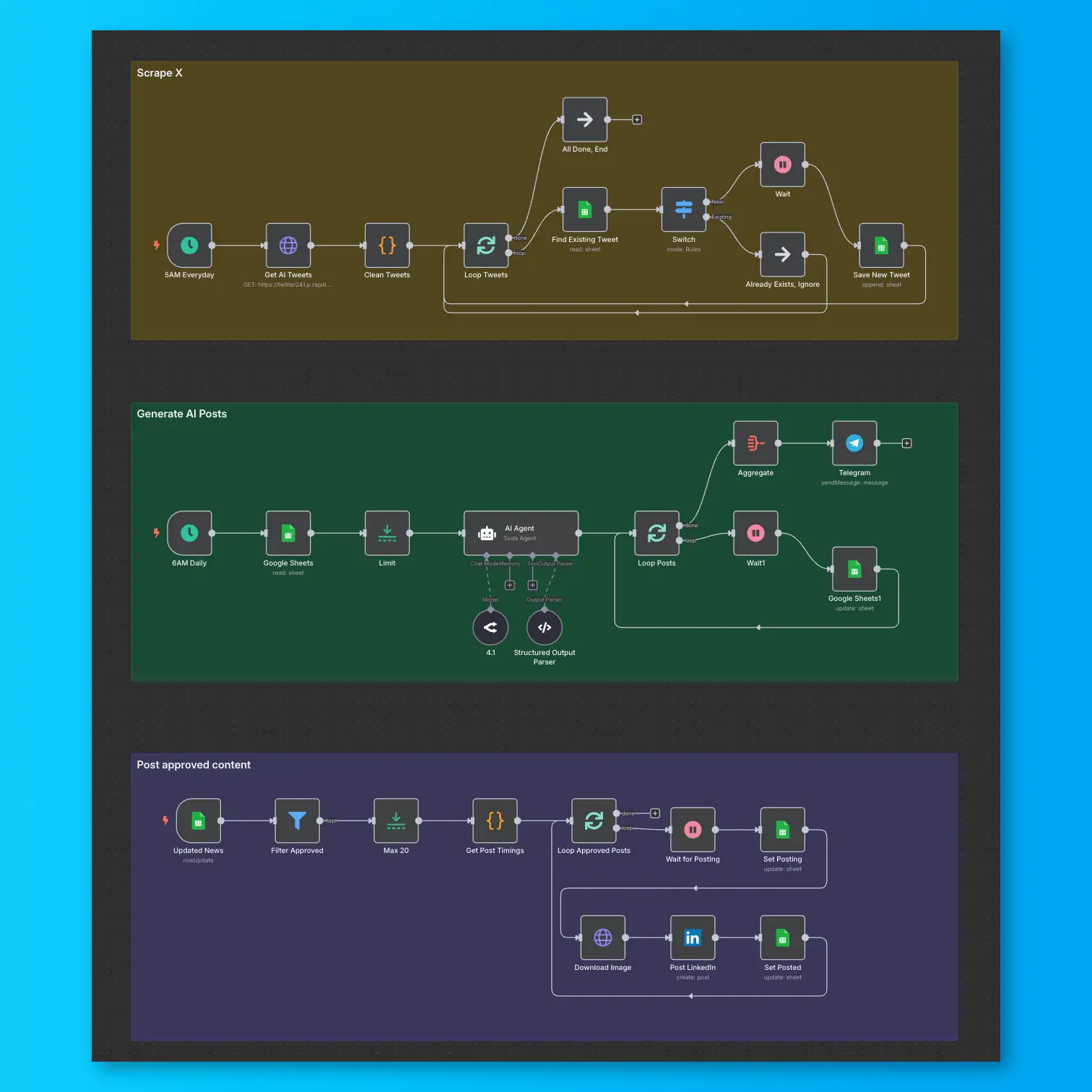
LinkedIn Automation From X Posts
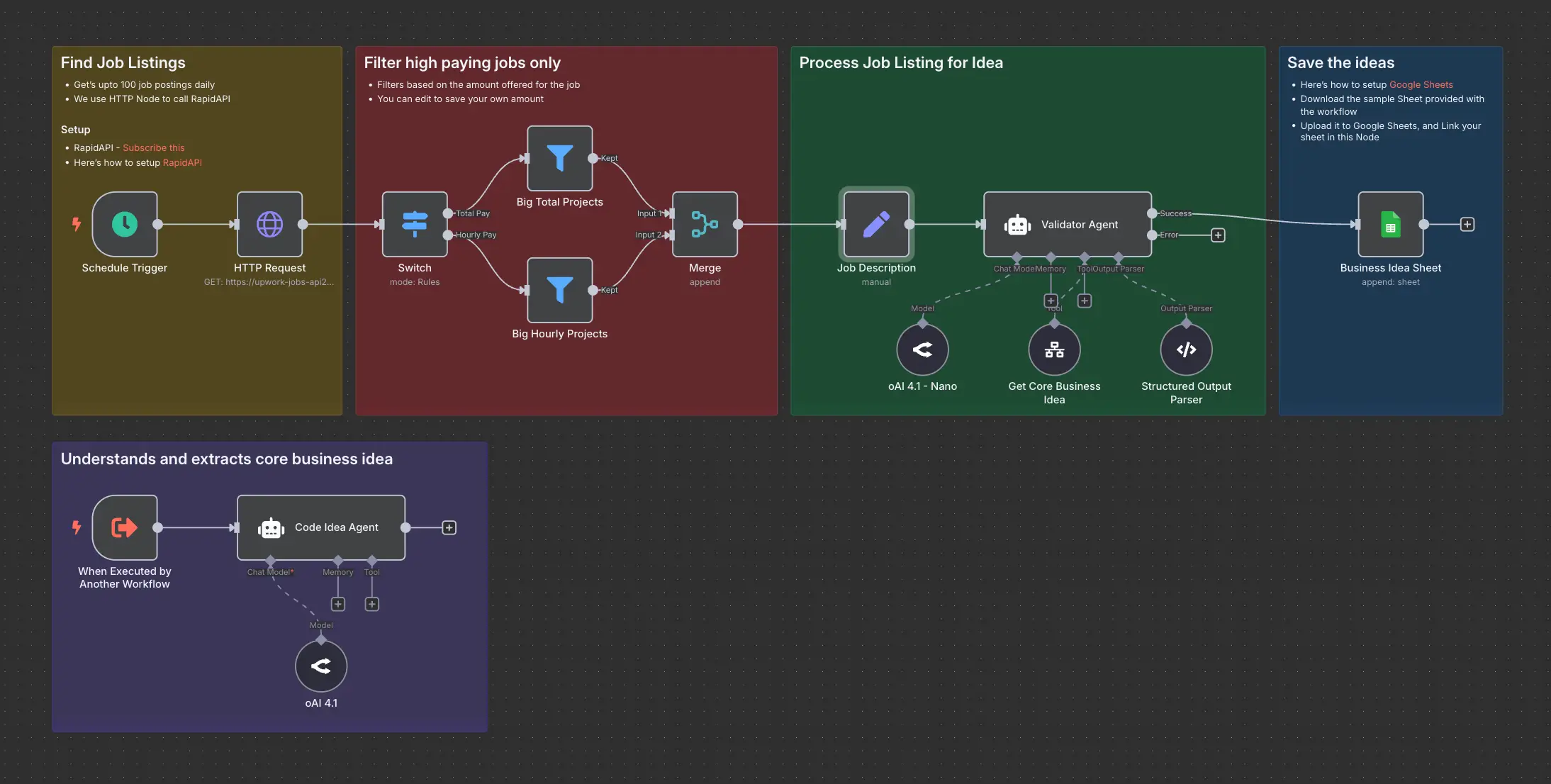
Daily Validated Business Ideas using n8n and Upwork