How to Automate Refund Requests with Claude AI (2026)
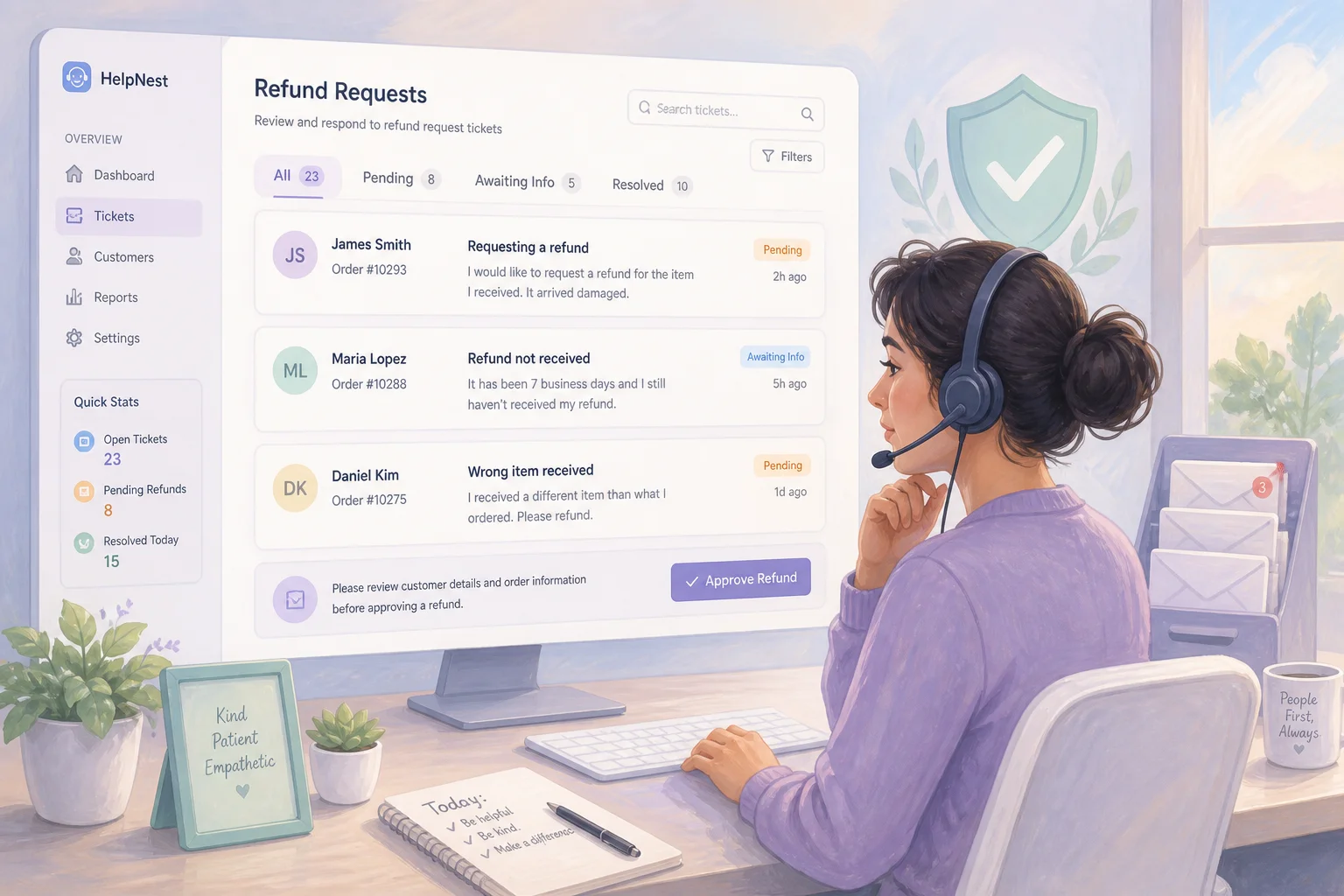

Table of Contents
- Introduction
- Why do refund and chargeback tickets eat so much support time?
- What is refund request automation with AI customer support?
- How does Claude classify refund intent before you draft a reply?
- How do you pull order and CRM context into every refund ticket?
- How should Claude draft policy-aligned refund replies with human approval?
- When should you route refunds with Haiku vs Sonnet in the pipeline?
- How do you orchestrate refund automation in n8n without auto-sending money?
- Which refund scenarios should never be auto-sent or auto-approved?
- What is your daily and weekly ops checklist for refund automation?
- How does refund automation connect to customer support triage?
- When should you book a 45-minute roadmap call to prioritize refund rules?
- Frequently Asked Questions (FAQs)
Introduction
Refund threads look simple on paper. In practice, D2C and service teams burn hours because every ticket arrives differently, policies differ by SKU or channel, and one agent approves full refunds while another offers store credit for the same scenario.
Refund request automation with AI customer support automation does not mean letting a bot move money on its own. Claude classifies intent, pulls order and CRM context, drafts a policy-aligned response, and flags edge cases so a human approves before anything sends.
This guide covers classification, context enrichment, Haiku vs Sonnet routing, n8n orchestration, escalation rules, and ops checklists for teams handling 30 to 300 refund-related tickets per month. It builds on Claude customer support automation: triage before you hire and stop repeat support tickets: deflect 80% before you hire more. Map your stack first with AI automation audit and readiness. When refunds compete with pipeline work, use what to automate first: a revenue-first prioritization framework.
Why do refund and chargeback tickets eat so much support time?
Refund tickets combine emotional language with procedural work. Agents look up order history, check fulfillment, verify return windows, and decide between full refund, partial credit, replacement, or denial. None of that is hard once. It becomes expensive at volume.
Most teams start ad hoc: read the email, open Shopify or Stripe, scan a policy doc, write from scratch. Canned responses and tags appear over time, but policy drifts. One agent's exceptions become unofficial precedent. Chargeback deadlines get missed.
The cost shows up as handle time (tab-hopping across help desk, e-commerce, CRM), inconsistency (same scenario, different outcomes by shift), and escalation lag (legal threats and high-value disputes buried under WISMO). That mix of repetition and risk makes refunds a strong automation target when humans stay in the loop.
What is refund request automation with AI customer support?
Refund request automation is a workflow that takes incoming refund or chargeback messages, structures them, applies your business rules, and produces a draft outcome plus customer-facing reply without manual copy-paste at every step. AI customer support automation here means calling Claude through the API inside that workflow, not dropping a generic chatbot on your site.
A production-ready pipeline has five layers: intake (webhooks normalize payloads), classification (intent, sub-type, urgency, sentiment), context enrichment (order, CRM, policy docs), policy decisioning (structured action, amount, reason code, confidence), and draft plus approval (human sends; optional refund API after sign-off).
Default posture: approve before send and no auto-refund until proven. Automation earns trust by making repetitive work fast while humans remain sender of record.
How does Claude classify refund intent before you draft a reply?
Claude classifies refund intent by reading the customer message and returning structured JSON your orchestration layer can route deterministically. At intake, the model's job is not to decide policy yet. It is to answer: what is this ticket, how urgent is it, and what fields do we need to look up next?
A typical classification prompt asks Haiku to output fields like:
{
  "intent": "refund_request",
  "sub_type": "damaged_item",
  "order_id_extracted": "10482",
  "urgency": "high",
  "sentiment": "frustrated",
  "requires_human_review": false,
  "confidence": 0.91
}
Haiku fits because classification is high-volume, low-latency work. Sub-types matter downstream: subscription cancel within trial differs from a processor chargeback notice.
Escalate immediately when messages mention lawyers, fraud, high-dollar chargebacks, or repeat refund requests in 30 days. If you already run general triage, branch refund intents into this pipeline from the same intake layer.
How do you pull order and CRM context into every refund ticket?
Claude should reason from live data, not only from what the customer claims in the email. Context enrichment means your orchestration tool queries order APIs, CRM records, and internal policy docs, then passes that bundle into the model before decisioning or drafting.
Minimum context for D2C: order ID, purchase date, SKUs, fulfillment and delivery status, prior refunds, subscription state, CRM tier or LTV band, and policy excerpts for the product category, channel (DTC vs Amazon vs wholesale), and region.
In n8n, HTTP nodes hit Shopify, Stripe, HubSpot, or Intercom, then an AI node receives ticket text plus lookup results. RAG over your refund policy doc helps when rules span pages or change with campaigns. Log attached context per decision so you can audit mistakes when connectors miss data.
How should Claude draft policy-aligned refund replies with human approval?
Claude drafts policy-aligned refund replies by combining your encoded rules, enriched context, and a structured decision object into a customer-facing message that a human approves before send. The model explains the outcome clearly, asks for missing evidence when needed, and matches your brand tone.
Encode policy as explicit rules in the prompt or tool schema: digital downloads non-refundable after 30 days, physical damage within 14 days with photo, final-sale SKUs as store credit only, wholesale routed to account managers. Ask Sonnet for a decision block first, then the reply:
{
  "action_type": "partial_refund",
  "refund_amount": 24.00,
  "currency": "USD",
  "reason_code": "late_delivery_partial",
  "requires_human_review": true,
  "confidence": 0.78
}
The reply explains the outcome, cites policy, and states next steps. Agents edit in the help desk and send. Approve-before-send keeps finance and support aligned; when drafts are right 80% of the time, review becomes editing.
When should you route refunds with Haiku vs Sonnet in the pipeline?
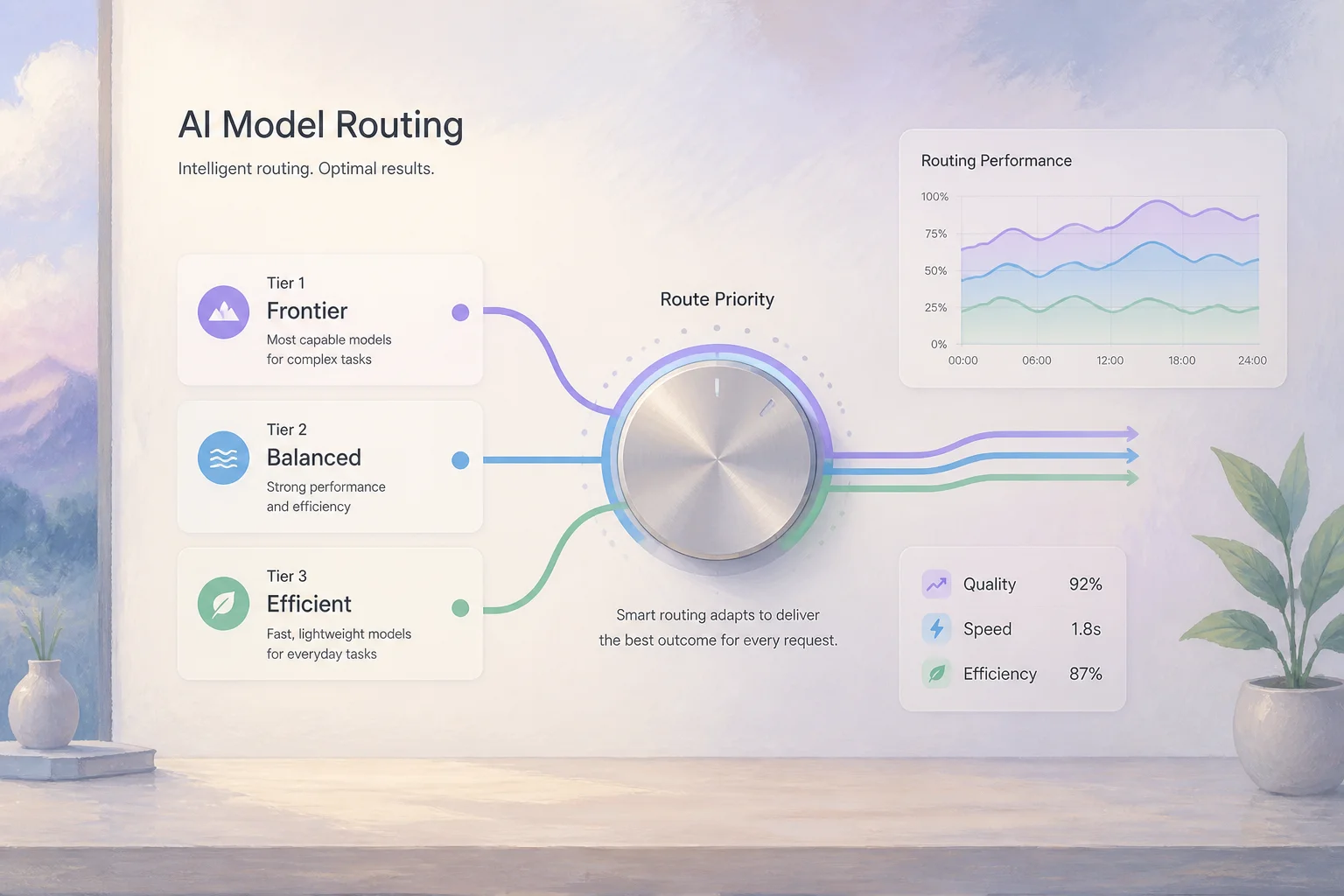
Route high-volume classification and extraction to Haiku, and policy reasoning plus reply drafting to Sonnet. Haiku is faster and cheaper for structuring incoming tickets. Sonnet handles nuance, tone, and multi-rule tradeoffs where mistakes cost money or reputation.
A practical routing table:
| Step | Model | Why |
|---|---|---|
| Intent classification, field extraction | Haiku | Speed, cost, volume |
| Policy decisioning with multiple rules | Sonnet | Reasoning quality |
| Customer-facing reply draft | Sonnet | Tone and clarity |
| Simple FAQ within clear policy window | Haiku (optional) | Cost savings after validation |
| Chargeback evidence summary | Sonnet | Accuracy and completeness |
| Legal threat detection | Haiku flag + human | Risk containment |
Haiku end-to-end for low-value template refunds is an optimization after months of logged accuracy. Route models in your orchestration layer, not by agent discretion.
How do you orchestrate refund automation in n8n without auto-sending money?
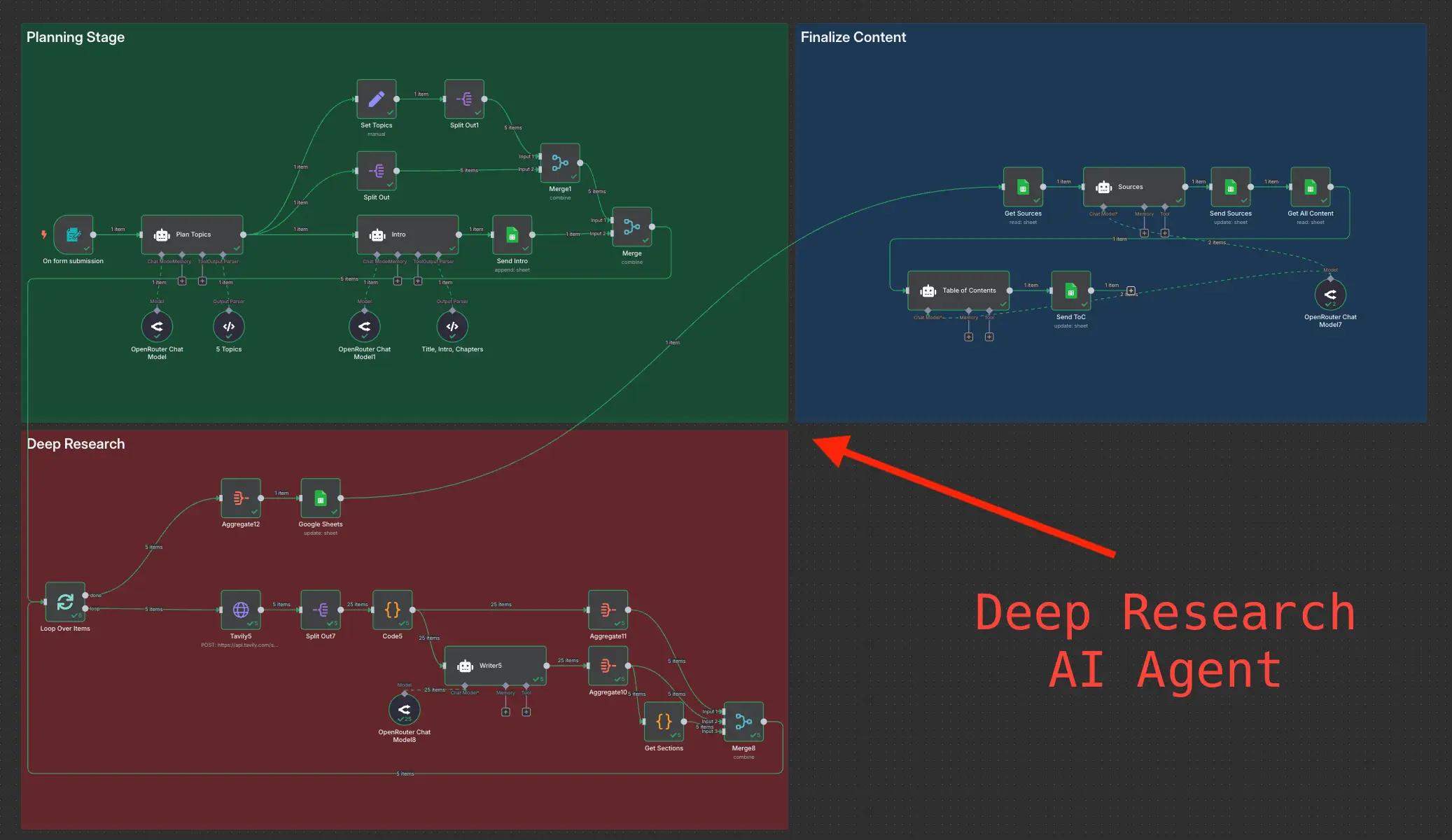
Orchestrate refund automation in n8n by chaining webhook intake, context lookups, Claude API calls, human approval gates, and optional execution nodes that only run after explicit sign-off. Phase one never auto-sends replies or triggers refund APIs.
A reference flow:
- Webhook receives new or updated ticket from Zendesk, Intercom, Freshdesk, or email parser.
- Haiku node classifies intent and extracts order ID, SKU mentions, and escalation flags.
- Branch sends chargebacks and legal threats to a senior queue; continues standard refunds.
- HTTP nodes fetch order from Shopify, customer from HubSpot, policy chunk from Notion or Google Doc.
- Sonnet node returns decision JSON plus draft reply using policy + context.
- Help desk update posts draft as internal note or suggested reply for agent review.
- Human approves in the help desk UI.
- Optional execution node calls refund API only after approval webhook fires.
Store API keys in n8n credentials. Log ticket ID, models, decision object, confidence, and human edits. Run draft-only for two to four weeks; replay historical tickets and fix policy ambiguity before blaming the model.
Which refund scenarios should never be auto-sent or auto-approved?
Never auto-send or auto-approve refunds for chargebacks, high-dollar orders, legal threats, fraud accusations, policy exceptions, or emotionally charged hardship cases without human review. These scenarios carry financial, legal, or brand risk that automation should assist, not own.
Hard block list: chargebacks (human submits to processor), orders above your dollar cap, repeat refunds in 30 days, SKU or region exceptions routed by metadata, confidence below your bar (e.g. 0.85), and new untested policies. Auto-send, when enabled, stays limited to low-value, high-confidence, well-tested return windows with complete order context.
What is your daily and weekly ops checklist for refund automation?
Daily and weekly checklists keep refund automation accurate after launch. Without them, prompts drift from policy changes and agents lose trust in drafts.
Daily (10 to 15 minutes)
- Review 5 to 10 AI-assisted refund tickets, including at least two low-confidence samples
- Check error logs: failed API lookups, missing order IDs, classification timeouts
- Track handle time and percent of refund tickets that used an AI draft
- Note agent edits: what did humans change most often in drafts?
Weekly (30 to 45 minutes)
- Compare refund rate and escalation rate by sub-type (damage, late ship, cancel, chargeback)
- Update policy doc excerpts if product, channel, or promo rules changed
- Tune thresholds: confidence bar, dollar cap, auto-send categories if enabled
- Pull three mispredictions and fix root cause (bad connector, vague policy, missing SKU rule)
- Decide next category to bring under automation using volume and risk scores
Treat the workflow as production infrastructure with metrics and iteration, not a one-time project.
How does refund automation connect to customer support triage?
Refund automation connects to customer support triage as one specialized branch off a shared intake classifier. Haiku tags all incoming tickets by intent; n8n routes refund and chargeback tags into this pipeline while billing questions, WISMO, and product support follow other paths.
The triage layer in Claude customer support automation becomes the front door; refund automation is a downstream branch with stricter gates because money is involved. Start with high-volume, low-risk scenarios (standard returns, subscription cancels, duplicate charges). Defer edge cases until audit data proves accuracy. Deflect FAQ-style questions via stop repeat support tickets so they never enter the refund path.
When should you book a 45-minute roadmap call to prioritize refund rules?
Book a 45-minute roadmap call when refund policy differs by SKU, sales channel, or region and your team cannot agree on what to automate first. Shared rules, thresholds, and success metrics need a working session before you wire n8n and Claude into production.
A roadmap call makes sense when:
- Shopify, Amazon, and wholesale each have different return windows and nobody has written them in one place
- Finance wants one refund cap while support wants another exception path for VIP customers
- You are replaying historical tickets and AI recommendations diverge from human decisions more than 20% of the time
- Chargeback volume is rising and you need escalation ownership, not another macro
- Refund automation competes with lead response or AR workflows for the same implementation week
In 45 minutes we map your ticket categories, policy gaps, connector readiness, and a phased build order: classify and draft first, auto-send only where data supports it. You leave with a prioritized backlog, not a slide deck.
Ready to stop retyping refund threads? Book your 45-minute roadmap call and we will decide which refund scenarios to automate first, which stay human-only, and how Claude plus n8n fit your stack without moving money on autopilot.
Frequently asked questions
Quick answers on the topics covered in this article.
Refund request automation uses software and AI to classify refund tickets, pull order and CRM data, apply your policy rules, and draft customer replies so agents review and send instead of writing from scratch. It does not require fully autonomous refunds. The goal is faster, more consistent handling with humans approving outcomes.
Claude reads ticket text, extracts intent and order details, reasons over policy and live context, and outputs structured decisions plus draft replies. Haiku handles fast classification; Sonnet handles policy tradeoffs and customer-facing language. Your team stays in the loop with approve-before-send.
Technically yes, but most small teams should not start there. Run draft-only mode first, then optional auto-refund only for low-value, high-confidence cases with months of audit data. Chargebacks, high-dollar orders, and exceptions should always require human approval.
n8n, Make, or custom middleware connect webhooks from Zendesk, Intercom, or Freshdesk to Claude API calls and e-commerce APIs. n8n is a common choice for self-hosted control and visual workflow editing. Credentials live in the orchestration tool, not in prompts.
Use Haiku for classification, field extraction, and escalation flags. Use Sonnet for policy decisioning, nuanced replies, and chargeback evidence summaries. Route deterministically in your workflow rather than letting the model choose.
A draft-only pilot (classify, enrich, draft, human send) often takes one to two weeks if order and help desk APIs are already accessible. Auto-refund execution and auto-send add weeks of testing and policy hardening. Replay historical tickets before turning on money movement.
Chargebacks, legal threats, fraud claims, orders above your dollar threshold, repeat refund patterns, new untested policies, and low-confidence model outputs should never auto-send. Claude can draft; humans decide and send.
Maintain a single policy source of truth (doc or database) and version the excerpts your RAG layer retrieves. Weekly ops reviews should update prompts and connectors when SKUs, channels, or regional rules change. Log which policy version was used per ticket.
Refund automation is a specialized workflow fed by the same intake classifier that tags all support tickets. Triage routes refund intents into this pipeline; other intents go to WISMO, billing, or product flows. Shared logging gives one view of queue health.
Book when policy differs by SKU, channel, or region, when replay tests show high divergence from human decisions, or when finance and support disagree on thresholds. A 45-minute session prioritizes categories, connectors, and phased rollout so you build the right layer first.
Share this article
Related workflows
LinkedIn Automation From X Posts
Daily Validated Business Ideas using n8n and Upwork